
What it does
What 365 IT Guard does for your business.
A small app on each Windows computer fixes the everyday problems with one click. One portal shows you which computers are protected, healthy, or need attention.
14-day free trial, no credit card.
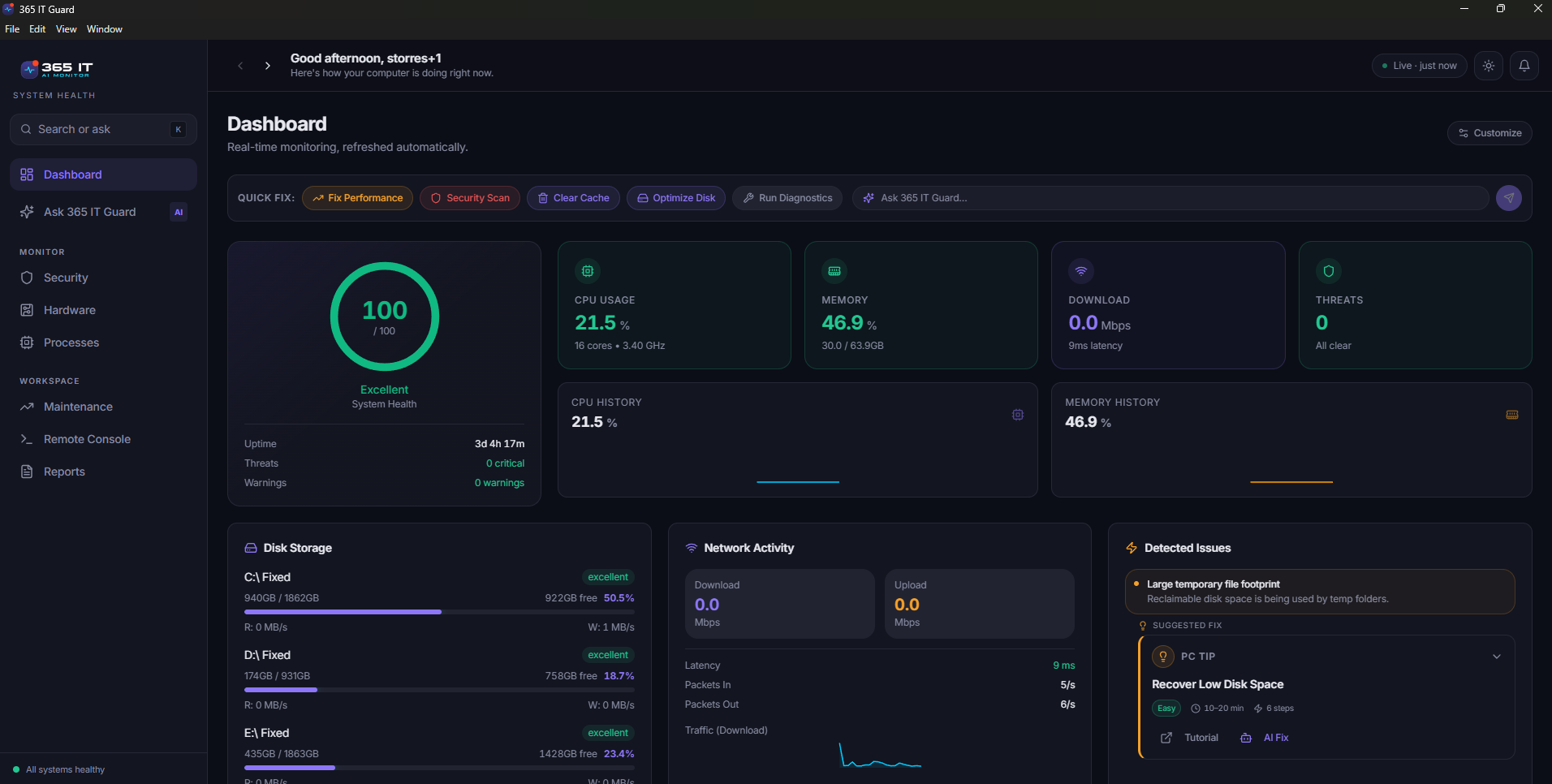
What the person at the computer sees.
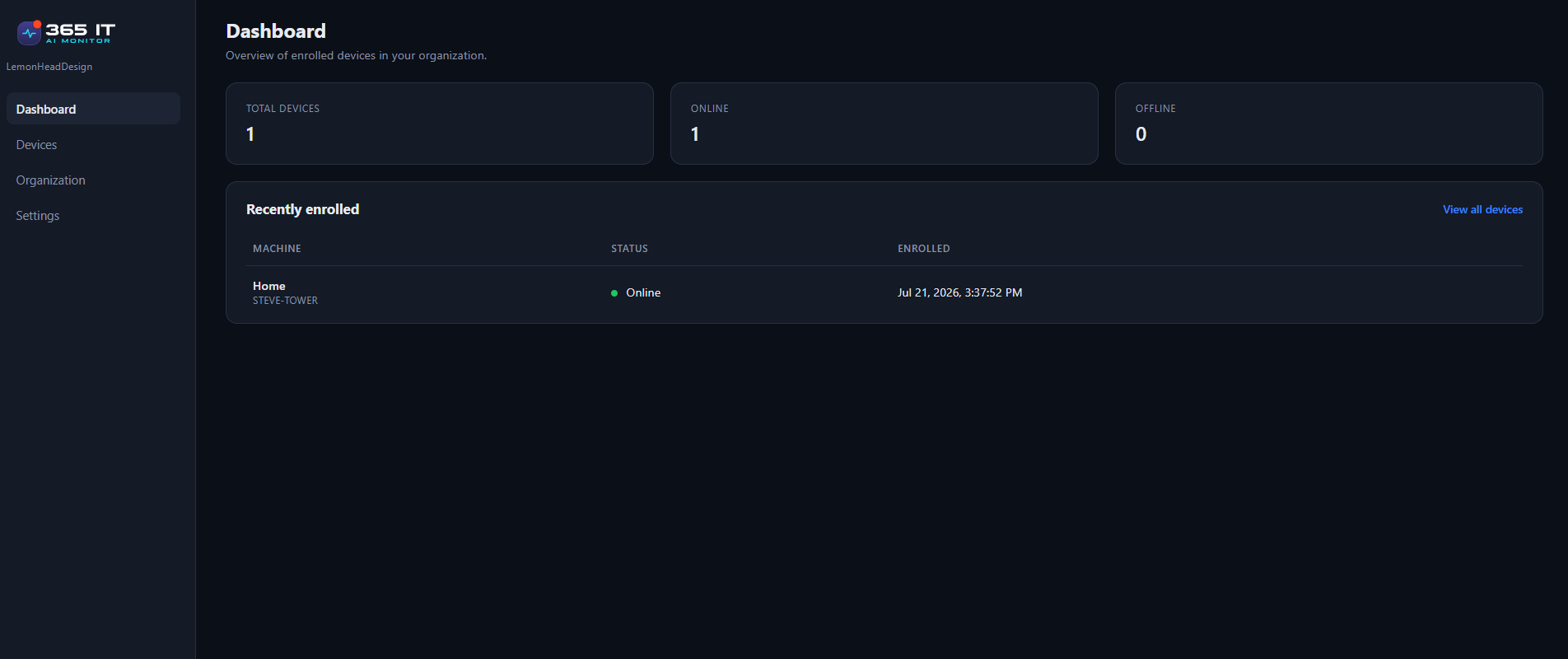
What you see across your business.
01On each computer
A small app your staff can actually use.
It's a real app they can open, not something hiding in the background.
Dashboard
A health check of the computer, in plain words.
Fixes
The problems it found, sorted by urgency, one click each.
Security
Antivirus, scans and firewall, checked against recommended settings.
02The fixes
14 fixes, one click each.
Startup changes are backed up and can be undone, and every fix works without giving staff admin rights.
- Clear out temporary files to free up space
- Empty the Recycle Bin
- Clear Edge and Chrome's stored web files (keeps passwords and logins)
- Fix websites that won't load after an internet hiccup
- Stop a program from opening every time you sign in (can be undone)
- Put back a startup program it turned off
- Switch Windows' power setting, for speed or battery life (can be undone)
- Stop a program that's misbehaving
- Close programs that say "Not responding"
- Bring back a frozen taskbar, Start menu or desktop
- Repair an installed app without reinstalling it
- Fix Microsoft Store apps that won't download or update
- Run a quick Microsoft Defender virus scan
- Get Microsoft Defender's latest virus updates now
03Also on each computer
The rest of the app.
The person using the computer can open it and see how it is doing.
Weekly reports
A 24-hour or 7-day report on demand, as a PDF, and a weekly report saved automatically. The last 12 are kept.
Hardware, Disk Usage and Apps
What is in the computer, what is filling the drive, and what is installed.
Works when it is offline
The app still works on the computer, and the portal shows when it was last seen.
Sign-in
You confirm your email when you create your account. Each time you sign in, we text a one-time code to your phone.
04The assistant
Ask in your own words. Get an answer about that computer.
Open the assistant, describe the problem in plain language, and click to fix it if there is a fix.
How help works
We fix it for you, with your permission. Most everyday problems take one click, and nothing changes until the person at the computer says yes.
If we can't fix it, we take you straight to it. One click opens the right Windows setting.
If it needs a person's hands, we show you how, step by step, with a short video from Microsoft or PC makers like Dell, HP and Lenovo.
Nobody, including you or us, can run anything on a computer from somewhere else.
Everyday fixes work without giving your staff admin rights.
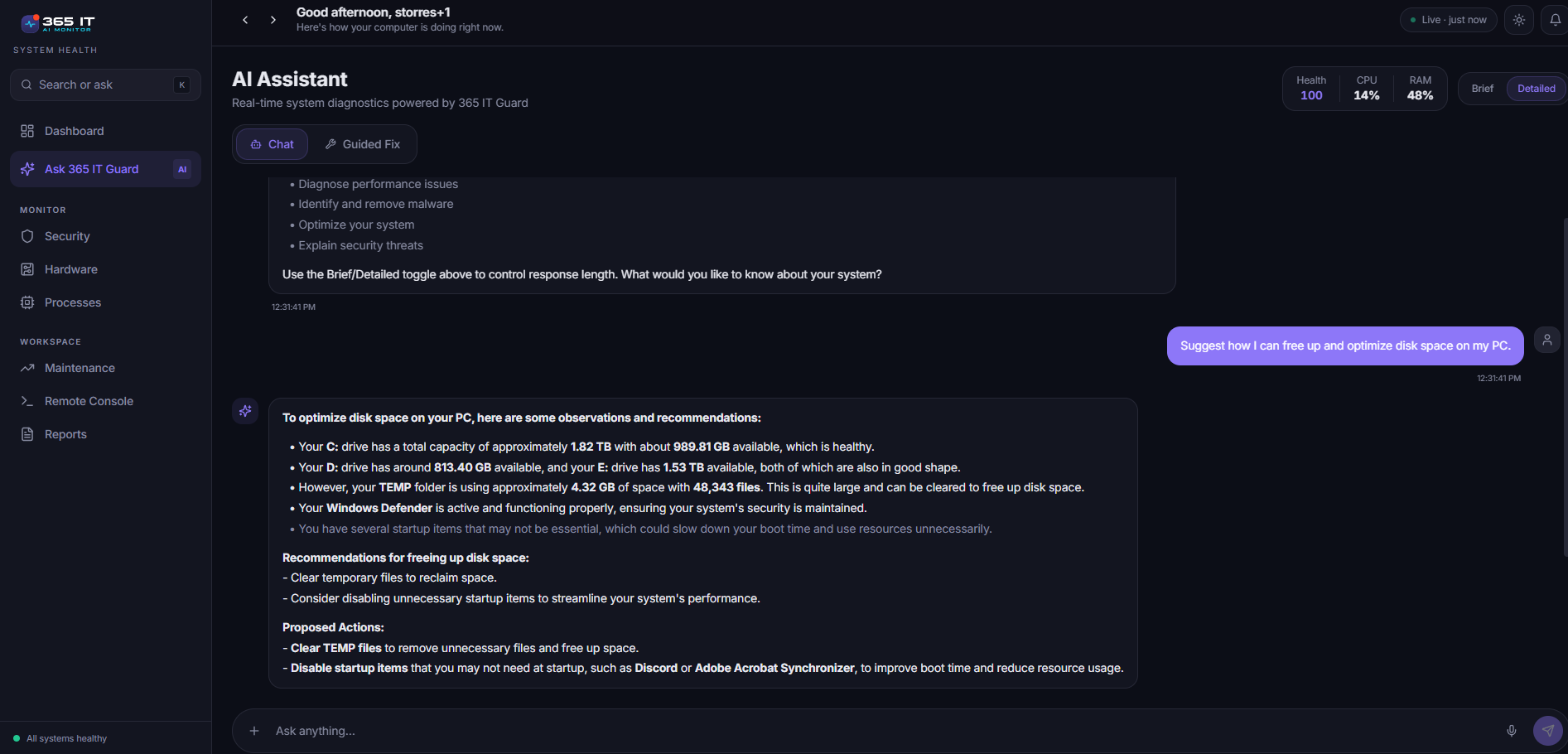
A question in plain language, and an answer about that computer.
- My computer is slow
- Outlook has stopped responding
- I am out of disk space
- What is this computer running?
05In your portal
One place to see every computer.
Every computer
Who uses it, online status, when it was last seen, and a 0 to 100 health score. The last 24 hours of CPU and memory are there too.
Detected issues
What is wrong, in plain words, with the suggested fix.
A protection card
Antivirus and firewall status, for each computer.
Online Help
Which computers need a hand, with a video for each problem.
06Windows 10
Know which computers are still on Windows 10.
Microsoft ended Windows 10 support in October 2025, and the portal shows which computers are still on it.
07Privacy
What you see, and what you don't.
You see: each computer's name, whether it's on and protected, its health score, memory and disk use, which programs use the most power, and which apps connect to the internet.
You never see: their files, their browsing history, their passwords, or their chats with the assistant.
They stay in control: nothing changes on their computer unless they click it.
What the assistant sends
The question goes to OpenAI, along with a summary of that PC's health so the answer fits the actual computer. We never send files, folder paths, browsing history or passwords. Chats aren't saved on our servers, and you (the admin) can't read your staff's chats. OpenAI doesn't use this data to train its models.
The full version, including what we do not claim, is on the security page.
08Scope
What 365 IT Guard does today.
Being straight about the edges of a product is faster than letting people find them during a trial.
Available now
- Fixes
- The assistant
- Security page
- Weekly reports
- Protection check
- Portal with health score and issues
- Help videos
- 24-hour charts
- Signup code
- Texted sign-in code
Not yet
- Alerts
- Installing Windows updates
- Longer history in the portal
- Scans through antivirus other than Defender
- Macs
By design: fixes are always done by the person at the computer.
09Who it is for
Built for owners, not IT managers.
5 to 25 computers, and no IT staff
You own or run the office. Nobody's job is "the computers," so it lands on you. It works fine for more than 25 too.
Office PCs and employees' own laptops
Office PCs and employees' own laptops are all on one business subscription. You assign each computer to the person who uses it.
10FAQ
Questions before you start.
How long does setup take?
Download the app, run it, sign in, and the computer appears in your portal. There is no server to set up.
Does it make changes to my computer?
We fix it for you, with your permission. Most everyday problems take one click, and nothing changes until the person at the computer says yes.
If we can't fix it, we take you straight to it. One click opens the right Windows setting.
If it needs a person's hands, we show you how, step by step, with a short video from Microsoft or PC makers like Dell, HP and Lenovo.
Nobody, including you or us, can run anything on a computer from somewhere else.
Is it an antivirus?
No, and you don't need to change the one you have. 365 IT Guard checks that your antivirus is on and up to date, whether that's Microsoft Defender or another product like ESET. If it's Defender, your staff can also start a scan with one click.
What happens when I remove a computer?
Its spot is free for the next computer.
Does it work when a computer is offline?
The app still works on the computer, and the portal shows when it was last seen.
Does it work on Macs?
Not yet. It runs on Windows 10 and 11 only.
Do I need a credit card to start?
No. There's a 14-day free trial, no credit card.
Every question on this site is answered in one place. Read the full FAQ
See your own computers in the portal.
Install the app on one computer and see what it finds. That is the fastest way to know whether this fits your business.
Administrators can sign in to the portal.